AI Translated Comics: How They Work
AI translated comics explained: how a comic translator reads, erases and re-letters a page, what is free, and what to check before you share the result.
 AI Manga Translator Team
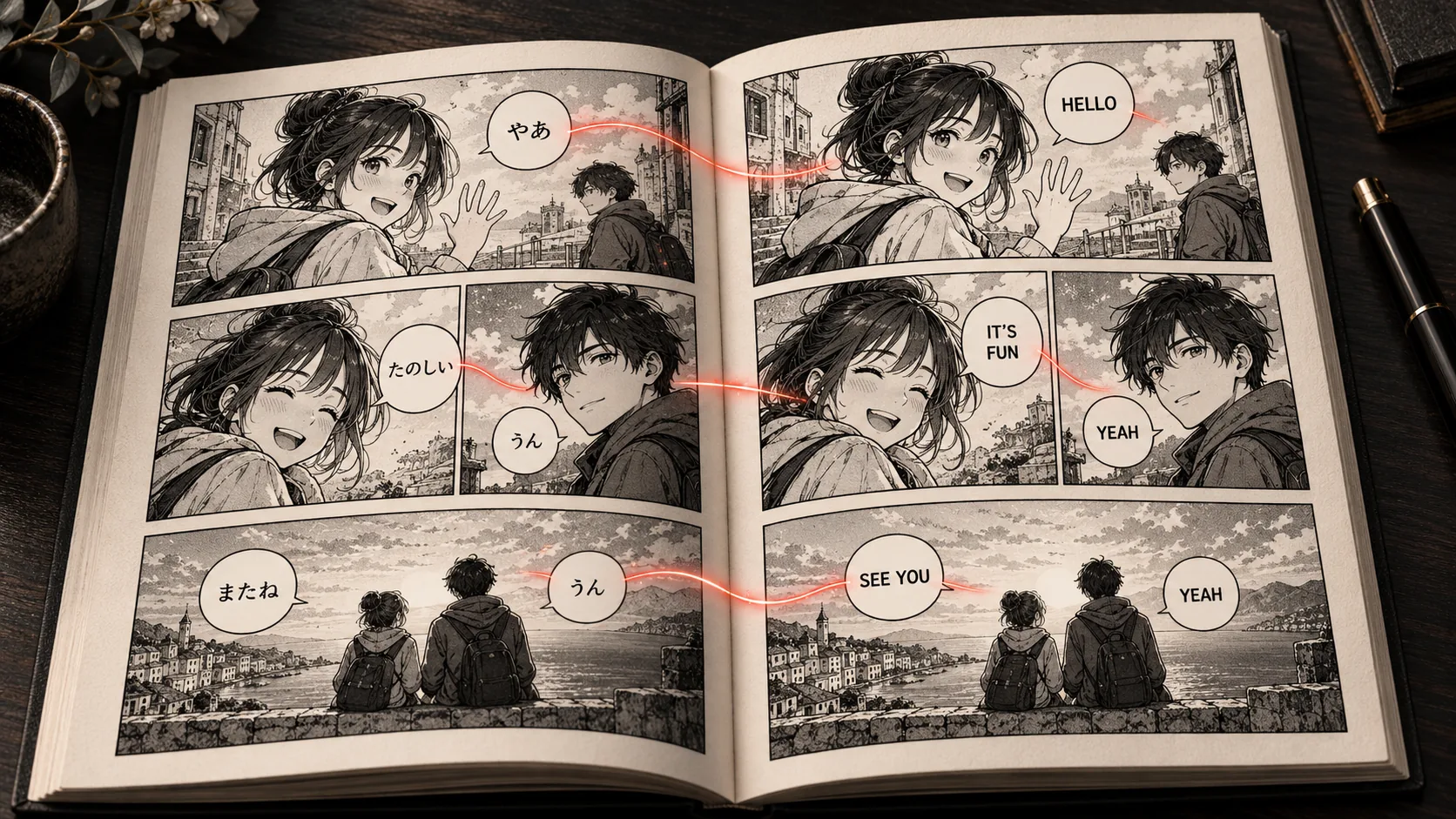
Cover: an AI-generated editorial illustration made for this guide.
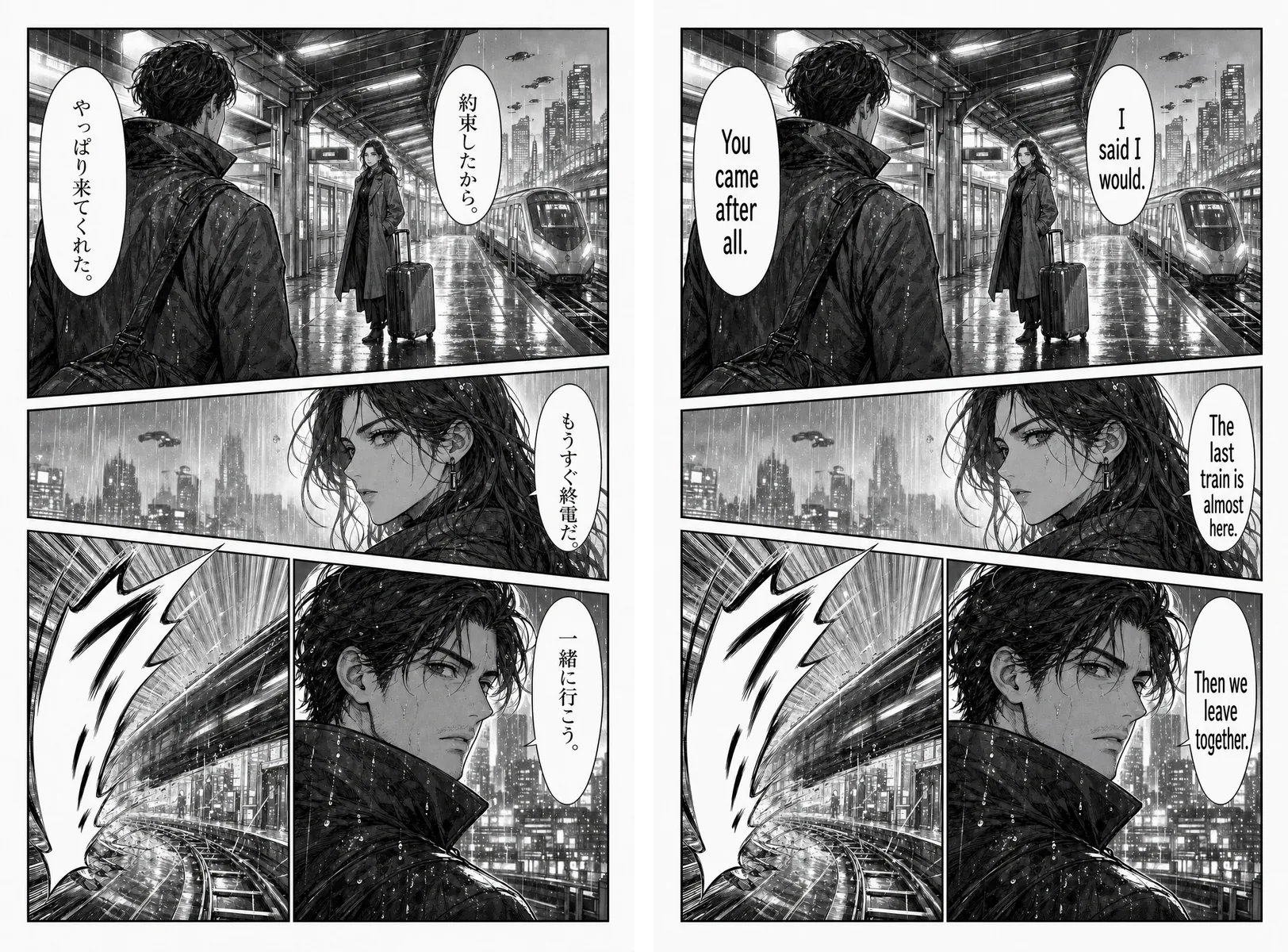
AI translated comics are comic pages whose dialogue, captions and other lettering have been translated by software, with the new text placed back on the artwork. You upload a page and get an image you can read in your own language, rather than a list of sentences beside the picture.
This guide explains how a comic translator works, how to make AI translated comics online, what you can do for free, and where a human still has to step in. Our tools work with Japanese, Korean and Chinese pages. To test one now, open the single-page translator.
What are AI translated comics?
The phrase covers two different things. Sometimes it means a comic released by a publisher that used AI during localization. More often, it means a reader or creator running pages through an AI comic translator. If you searched for “comic translate”, that second meaning is the focus of this guide.
Some publishers already use AI for localization. MIT Technology Review reported on Orange, a Japanese startup using a large language model to help bring manga to English readers in days rather than months. The company also told the magazine that people still review the work, because the AI makes mistakes.
| Type | Who does the work | What you receive |
|---|---|---|
| Official translation | Licensed translators, letterers and editors | A finished edition released by the rights holder |
| Fan translation | Volunteers working by hand | Lettered pages, with quality and permission varying by group |
| Text overlay | A general translation app | Translated words shown over or beside the original image |
| AI translated comics | A comic translator, with you checking the result | A new page image with the original lettering replaced |
How a comic translator produces a page
Comic translation is a chain of steps. A problem at any step shows up in the final page, which is why two tools can give very different results from the same scan.
- Find the text. The system looks for speech bubbles, caption boxes and other text regions.
- Read the text. Optical character recognition turns the lettering into characters, including vertical Japanese and stylized fonts when it can.
- Translate it. AI comic translation works from the recognized text. If a line was misread, the translation inherits that error.
- Remove the original. The old lettering is erased and the area behind it is filled in.
- Letter the new text. The translation is placed back in the same region and sized to fit.
The output is a new image, so the page largely keeps its layout. Your source page is uploaded for online processing, and both the source and the result are saved in your account history. Read the privacy policy before you submit private material.
How to translate comics to English online
You can make AI translated comics online without installing anything. Start with a single page so you can judge the result before committing to a whole chapter.
- Prepare one clear page. Save a PNG, JPG, JPEG or WebP file up to 15 MB. Avoid thumbnails and images squeezed by a chat app, since small lettering is where misreadings begin.
- Open the comic page translator. Go to the single-page tool. You do not need to crop each bubble.
- Choose your reading language. Select English, or another of the 133 reading languages. The source language is detected automatically.
- Sign in and start. Each page costs 1 credit, and a failed translation returns its credit. Full-size previews and downloads require a purchased credit pack.
- Compare with the original. Read the main dialogue first, then look for small captions and text over the artwork.
- Scale up. Once pages from that source look right, move to a batch or an archive.
The same steps apply to other target languages. Our Japanese image tutorial goes deeper on raw manga pages.
Pick a workflow for your comic files
The right tool depends on your files. A comic image translator suits single pages, while archives and browser reading have their own workflows. Each route below uses the same 1 credit per page.
| What you have | Use this | Limits |
|---|---|---|
| One page or screenshot | Single-page translator | PNG, JPG, JPEG or WebP, up to 15 MB |
| Several separate images | Batch translator | Up to 20 images per queue, 15 MB each |
| A chapter as CBZ or ZIP | CBZ translator | One archive up to 100 MB and 50 image pages |
| Comics open in a desktop browser | Browser extension | Chromium desktop browsers, up to 50 loaded images at a time, 25 reading languages |
| PDF, CBR or EPUB | Convert permitted content to images or CBZ first | These formats are not imported directly |
To translate CBZ files or a full chapter, the chapter translation guide covers page order, retries and exports.
Manga, manhwa and manhua: what changes
AI translated comics run into different problems in each tradition, so the checks differ slightly.
| Format | Typical challenge | Guide |
|---|---|---|
| Japanese manga | Vertical text, furigana, dropped subjects and sound effects | Japanese manga translator |
| Korean manhwa and webtoons | Long vertical strips, honorifics and consistent names | Manhwa translator |
| Chinese manhua | Word segmentation, cultivation terms and long strips | Manhua translator |
Split very long strips into readable sections before you upload them. On reading sites, the extension handles each image in a strip separately as it loads.
American and European comics are a different case. Japanese, Korean and Chinese are the source languages we document, so we do not promise results for English, Spanish or French originals.
AI translated comics vs other options
There is no single best comics translator. The right way to get AI translated comics depends on whether you want a clean page, a quick meaning check or a publishable edition.
| Route | Best for | Main limit |
|---|---|---|
| Online comic translator | Clean page images without installing anything | Needs review; our version requires an account and credits |
| Browser extension | Translating while you read on a website | Depends on the site and on images being loaded |
| General photo translator | Quickly understanding a sign or a single line | Usually an overlay, not a re-lettered page |
| Comic translator app or screen translator | Reading on a phone | Varies by app; check its data and pricing terms |
| Open-source desktop project | Technical users who want control | You handle the installation and setup |
| Human translator and letterer | Printed or commercial releases | Costs more and takes longer |
Our tools have no phone app. On a phone, save a screenshot and upload it to the single-page tool.
Can you get AI translated comics for free?
Partly. Most free comic translator offers are limited trials. Be careful with any tool that promises unlimited pages with no account, and read its terms before you rely on it.
Here is what applies on this site. New accounts can try a page at no cost, subject to the current account settings. You must sign in to start a translation, and full-size previews and downloads require a purchased credit pack. The browser extension is free to install, but translations still use credits.
Packs are one-time purchases with no subscription, starting at $4.99 for 50 pages. Larger packs bring the cost down to about $0.0125 per page. Check current pricing for any active offer. If you would rather pay nothing, the manual route is a dictionary plus a free image editor, as described in our guide to translating without AI.
How good are AI translated comics?
AI translated comics are good enough to follow a story on a clear page, and not good enough to publish without review. Translators interviewed by Popverse raised the same concerns you will notice as a reader: flat character voices and lost context.
Check these points before you trust AI translated comics:
- Missing text. Confirm every bubble and caption was translated, including small notes in the margins.
- Who is speaking. Japanese and Korean often leave out the subject, so a line can be assigned to the wrong person.
- Names and terms. Pages processed separately may render the same name differently, and there is no chapter glossary.
- Voice and jokes. Read the page aloud. Puns and catchphrases are often the first things to fall apart.
- Sound effects. Effects drawn into the art may be left alone or look rough, so decide whether they matter to the scene.
- Fit. Short lines can grow a lot in translation; W3C guidance on text size shows how much. Check that lettering is still readable inside the bubble.
If the wording sounds fluent but wrong, go back to the previous page. Many errors come from context the translator could not see.
Can you share AI translated comics?
Translation does not grant redistribution rights. Reading your own translated copy and posting that copy publicly are different acts, and the second one generally needs permission from the rights holder, usually the publisher. Rules on private use vary by country.
Only make AI translated comics from content you own or have permission to translate. Creators translating their own webcomics are the clearest case, because they hold the rights and can judge the result. When an official edition exists or is announced, support it.
Frequently asked questions
Can AI translate comics?
Yes. An AI comic translator can find the text on a page, translate it, remove the original lettering and place the new text back on the artwork. Short everyday dialogue on a clear page tends to work best. Names, jokes, handwriting and sound effects still need a human check.
How can I translate comics for free?
New accounts on this site can try a page at no cost, subject to the current account settings, and you can check your balance before starting. Full-size previews and downloads require a purchased credit pack. Doing the work yourself with a dictionary and a free image editor costs nothing but takes much longer.
Is there an AI that translates comics into English?
Yes. Dedicated tools, browser extensions, phone apps and open-source projects all do this. Our tools accept Japanese, Korean and Chinese pages and can return English or another reading language as a translated image.
How do I translate a comic to English step by step?
Save a clear page as PNG, JPG, JPEG or WebP, open the single-page translator, choose English, sign in and start the translation. Compare the result with the original, then check names, captions and sound effects before moving on to more pages.
Are AI translated comics accurate?
Accuracy varies with the scan, the lettering and how much the line depends on earlier pages. We do not publish an accuracy percentage. Treat a result as a readable draft, and compare important lines with the original.
Can I upload a comic PDF, CBR or EPUB?
Not directly. Convert permitted content to page images or a CBZ or ZIP archive first. Images can be up to 15 MB each, and one archive can hold up to 50 image pages.
Can I translate Spanish or other Western comics to English?
Japanese, Korean and Chinese are the source languages we document. Spanish, French and English source pages are outside that list, so we do not promise results for them. Those languages are available as reading languages for the output.
Can I edit the translated text afterward?
No. The output is an image, not an editable transcript or lettering project. There is no post-translation text editor or chapter glossary, so fix wording in an image editor if a page needs changes.
Make your first AI translated comics page
Pick one ordinary dialogue page, not a cover or an action spread, and run it through the comic translator. Compare it with the original. If the names, voices and captions hold up, your next step is a batch or a CBZ chapter.
Tool capabilities, limits and prices in this guide were checked against this website’s implementation on November 1, 2026.