
Translate Korean manhwa and webtoon pages to English
Upload a manhwa page or a webtoon screenshot. The Korean dialogue is erased and English is lettered back into the same speech bubbles, so you read the panel, not a transcript. Choose any of 100+ reading languages; English is selected by default.
Long, confidently detected text outside bubbles may still be translated.
Drop a manga page here
PNG, JPG, JPEG, or WebP, up to 15 MB. The preview stays in your browser until you start the translation.
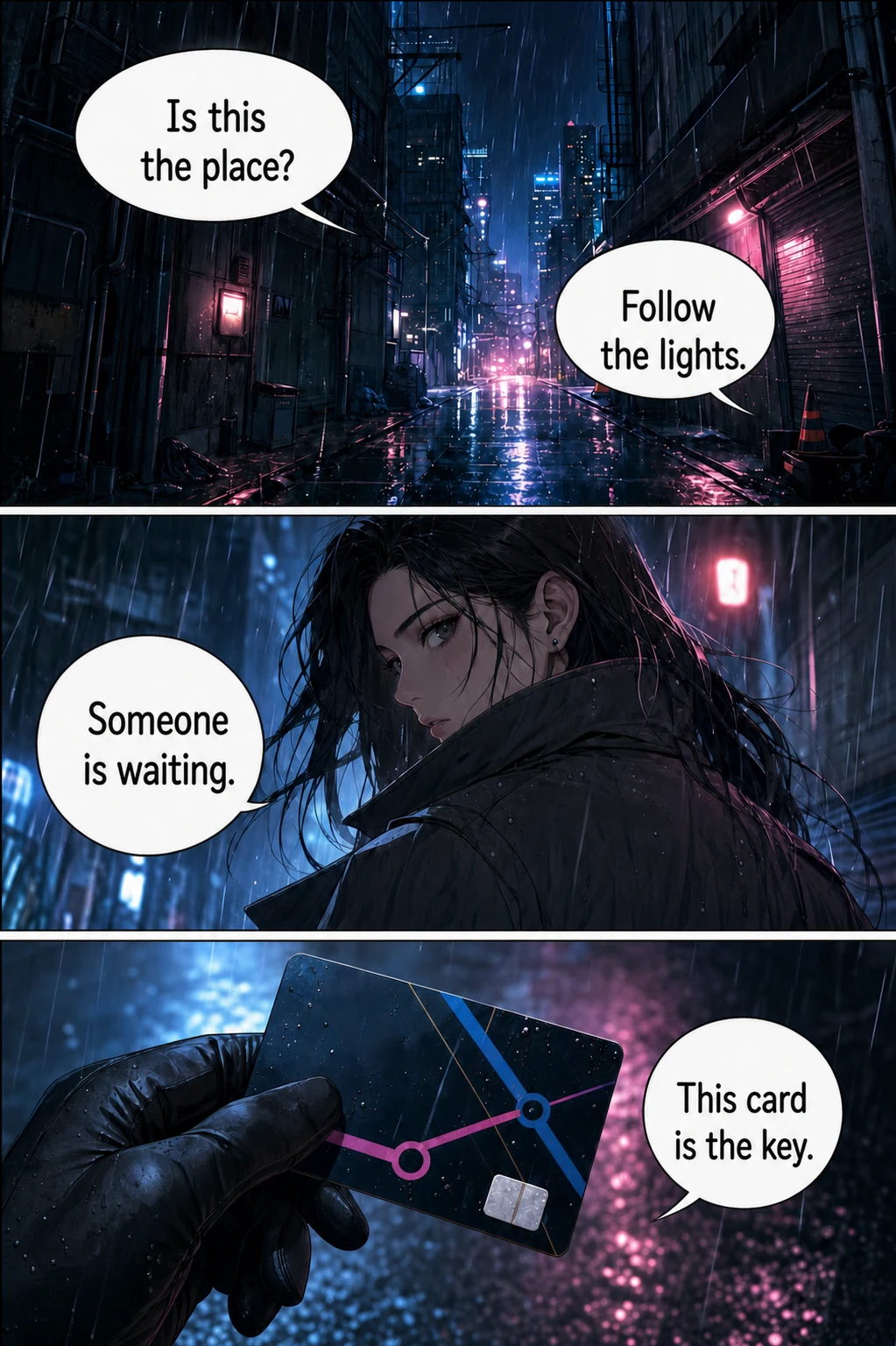
Example translated result
Your translated page appears here
Choose the target language, then start the translation.
Each page costs 1 credit. Failed translations are refunded. Image preview stays in your browser. Sign in is required before the file is sent for processing.
At a glance
The single-page tool in one table: what to upload, what you get back and what it costs.
| Input | One manga page or screenshot in PNG, JPG, JPEG or WebP. No need to crop speech bubbles. |
|---|---|
| Limits | 15 MB per image, one page at a time. For more pages, use the batch or CBZ tool. |
| Output | One translated image with the dialogue placed back on the page. Font and text settings are chosen before you translate. |
| Languages | Japanese manga, Korean manhwa and Chinese manhua pages; 133 reading languages to choose from. |
| Account | Sign-in required. Trial credits for new accounts depend on current account settings; check your balance after signing in. |
| Cost | 1 credit per page. Credits for failed pages are refunded automatically. |
| Downloads | Saving results requires a purchased one-time credit pack. No subscription; purchased credits do not expire. |
A good fit if you
- are stuck on one page or one scene and want to understand it now
- want to test translation quality on a representative page before a whole chapter
- have a screenshot of a manga, manhwa or webtoon panel
Look elsewhere if you need
- a separate text transcript of the dialogue
- editing individual lines after the image is generated
- translating a PDF page directly; export it as an image first
Facts checked against the live product on 2026-10-22.
How to translate a manhwa page
You only choose the language you want to read. The Korean text is detected from the image itself.
- 01
Upload the page or screenshot
Add one PNG, JPG or WebP image up to 15 MB. For a long webtoon strip, save it in screen-height segments so the lettering stays large enough to read.
- 02
Pick English and translate
English is selected by default. Sign in, check the 1-credit cost and start. You can also choose fonts or translate only the text inside speech bubbles.
- 03
Check names and tone, then save
Compare the result with the original. Look at character names, honorifics and small side text before you download; downloads need a purchased credit pack.
A Korean-to-English example
The first example is a colour manhwa panel with Korean dialogue; the others show Japanese and Chinese pages. Drag the divider to compare the original with the translated version.
Neon alley
Korean → English
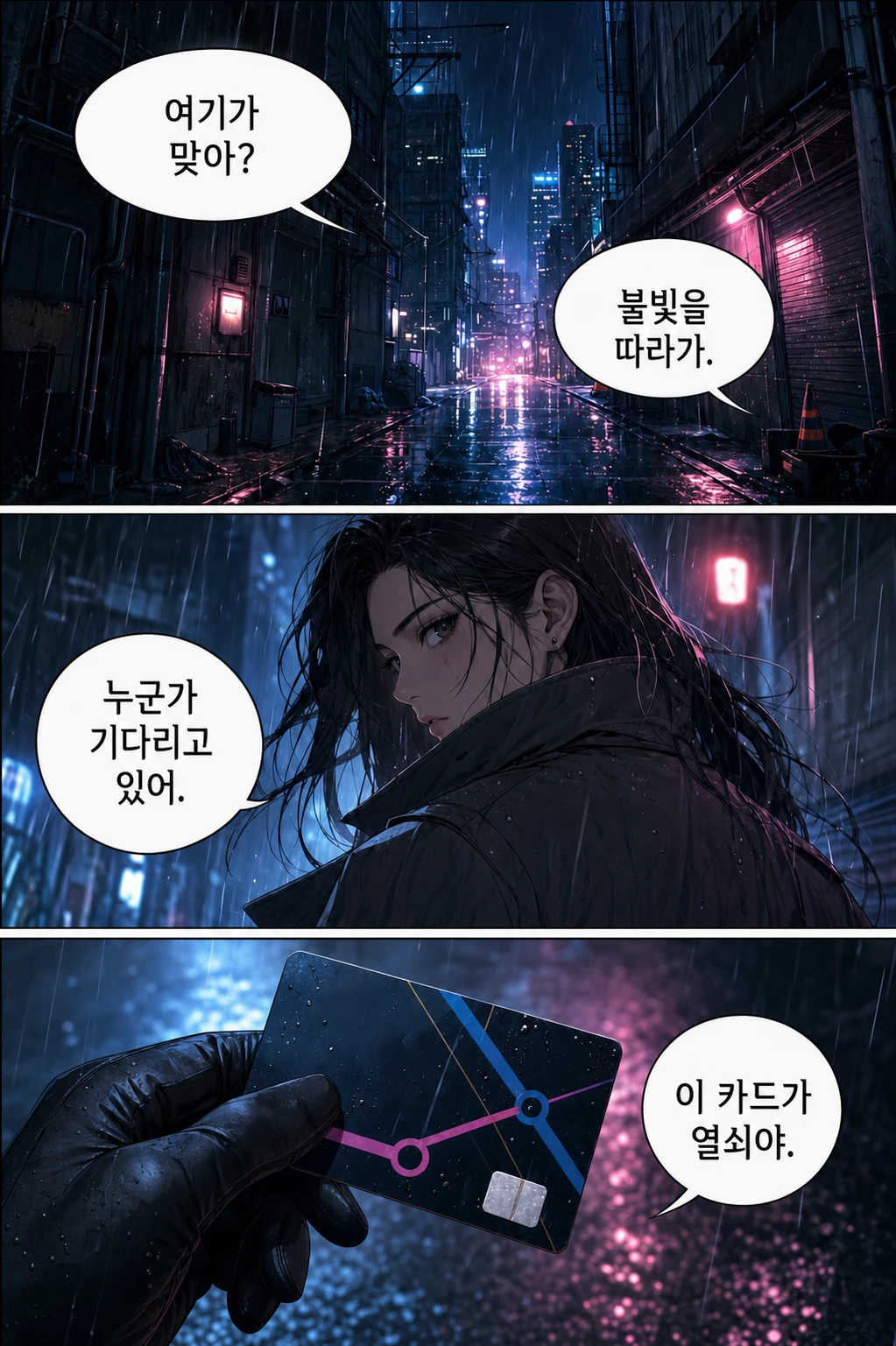
Loading comparison images…
Drag the divider to explore. You can also use the arrow keys.
Illustrative examples, not live translation results. Try your own page to judge the quality.
What Korean-to-English manga translation needs
Manhwa dialogue is mostly horizontal Hangul, often packed into small rounded bubbles on colour artwork. Korean is compact: a short line can need noticeably more space in English, so the translated lettering may run smaller than the original.
Hand-drawn sound effects and text woven into the art are harder to detect than bubble dialogue. They may be left untranslated or only partly replaced, so check action scenes closely.
Long webtoon strips and screenshots
Webtoons are read as one tall vertical strip. A single screenshot of several screens shrinks the text relative to the image, which makes detection and lettering harder. Saving one screen at a time usually gives clearer results, and each saved image is translated as one page.
If you read on WEBTOON, Tapas or another site in a desktop browser, the Chrome extension translates the loaded strip images in place, so you do not need to screenshot at all.
Honorifics, names and relationships
Korean dialogue carries a lot through address terms such as hyung, oppa, sunbae and the -nim suffix. AI translation may keep them, translate them, or flatten them into a neutral English line, and that choice can differ from page to page.
Pages are translated as separate jobs and there is no shared glossary, so the romanisation of a name can vary across a chapter. Keep a short list of names and check it against each page if you share the result.
When another tool fits better
For a quick gist of one screenshot on your phone, a general image translator such as Google Lens or Papago is faster; it shows text over the image rather than re-lettering the bubbles. Use this page when you want a clean translated panel you can read or save.
This tool does not offer a text editor after translation, does not import PDF or EPUB directly, and does not run offline. For more than one page, use the batch translator (up to 20 images) or the CBZ translator (one CBZ or ZIP up to 50 pages).
Manhwa translator FAQ
Can it translate long webtoon screenshots?
Yes, if the image is PNG, JPG or WebP and within 15 MB. Very tall screenshots make the text small relative to the image, so saving one screen at a time usually gives clearer lettering. On webtoon sites in a desktop browser, the Chrome extension translates the strip images in place.
Do I need to tell it the page is Korean?
No. You only choose the language you want to read; the Korean text is detected from the image.
Does it keep honorifics like hyung or sunbae?
Not consistently. The AI may keep, translate or drop an honorific depending on the line, and each page is translated separately. Check address terms and names if they matter to the story.
Can I translate manhwa into a language other than English?
Yes. Choose from more than 100 reading languages, including Simplified and Traditional Chinese, Spanish, Portuguese, Indonesian and Thai. English is only the default.
Is the manhwa translator free?
Each page costs 1 credit and failed pages are refunded. Trial credits for new accounts depend on current account settings, and downloading results requires a purchased one-time credit pack. It is not an unlimited free service.
Read the chapter you have been waiting for
Try one manhwa page or webtoon screenshot first, then translate the rest of the chapter in a batch.
Translate a page