
Translate manga, manhwa and webtoons on the page you're reading
The AI Manga Translator extension puts a Translate button on manga images in Chrome and other Chromium desktop browsers. Click it and the Japanese, Korean or Chinese text is erased and your language is lettered into the same bubbles, right on the reader page, with no downloading or uploading. Free to install; each translated page uses 1 credit from your account.
Free on the Chrome Web Store · Works in Chrome, Edge, Brave and other Chromium browsers
Three ways to translate
Hover and click
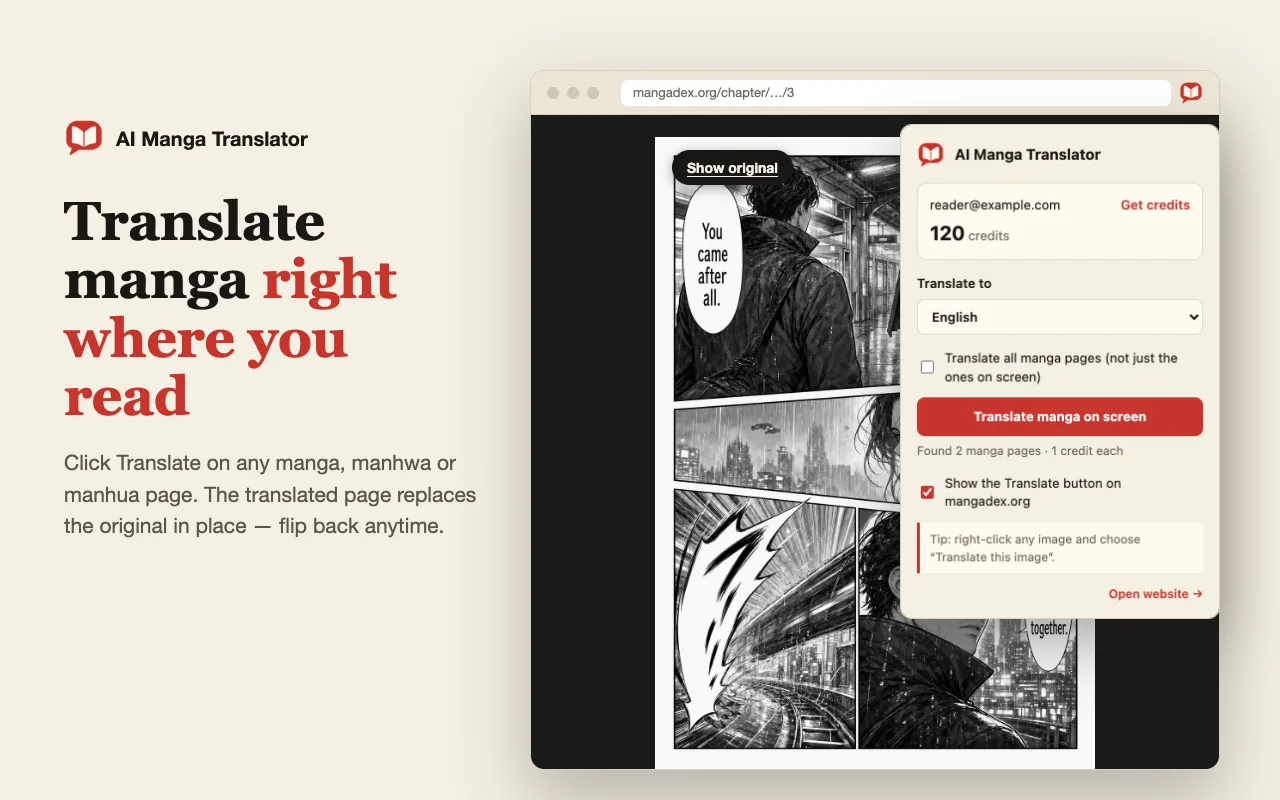
Move the mouse over a manga page and click the red Translate button. On by default for popular manga sites; turn it on for any site from the popup.
Right-click any image
Right-click an accessible image and choose the extension translation action. Some sites restrict image access or render pages in a way the extension cannot read.
The whole screen or chapter
Use the popup to translate visible images, or select all eligible images already loaded on the current page, up to 50 per batch. It does not automatically open other chapters or fetch an entire site.
At a glance
The browser extension in one table: where it works, what it can read and what it costs.
| Input | Manga images and canvas-drawn pages already loaded on the webpage you are reading. |
|---|---|
| Browsers | Chrome, Edge, Brave and other Chromium desktop browsers. Not Firefox, Safari or mobile browsers. |
| Limits | Hover button on by default for popular manga reader sites and switchable for any site; right-click works on any site; up to 50 loaded images per batch. It does not open other chapters or bypass access restrictions. |
| Output | The image on the page is replaced with the translated version in place. Switch back to the original at any time. |
| Languages | Japanese, Korean and Chinese source pages; 25 reading languages in the extension popup. |
| Account | Free to install. Translating requires signing in on this website in the same browser; the extension uses that account and its credits. |
| Cost | 1 credit per page. Credits for failed pages are refunded automatically. |
A good fit if you
- read manga, manhwa or webtoons on websites in a desktop browser
- want to translate while you read instead of downloading and uploading pages
- use one account for the website tools and the extension
Look elsewhere if you need
- translation on a phone or tablet; save a screenshot and use the website instead
- pages the browser cannot read, such as images behind access restrictions or WebGL readers
- a whole series fetched automatically
Facts checked against the live product on 2026-10-22.
Works on long webtoon strips and canvas readers
Webtoon and manhwa sites usually split a chapter into a stack of tall images. The extension translates each image in that stack separately as you scroll, so a long strip becomes several translated segments, each using 1 credit. Scroll the chapter first if you want to use “translate all loaded images”, because only images already loaded on the page can be picked up.
Some readers draw pages onto a canvas instead of using normal images, for example bilibili Comics. The extension can read and replace those 2D canvas pages too, and keeps the translation when the reader reuses the same canvas for the next page. Readers that render with WebGL cannot be drawn into, so those pages are not supported.
Which sites does the manga translator extension work on?
The hover Translate button is switched on by default for popular manga and webtoon readers, including MANGA Plus, WEBTOON, Tapas, MangaDex, pixiv and bilibili Comics. On any other site, open the extension popup and switch the button on for that site; your choice is remembered per site.
The right-click menu works on any site where the browser can read the image. The hover button appears on images at least 180 px on screen, and “translate all” picks up images at least 300 px in their original size, so icons and thumbnails are skipped.
What the extension cannot do
It translates images that are already loaded on the page you are viewing, up to 50 at a time. It does not open the next chapter, crawl a whole series or bypass logins, paywalls or other access restrictions. If a site blocks the browser from reading an image, the extension cannot translate it.
It runs only in Chromium desktop browsers such as Chrome, Edge and Brave. Firefox, Safari and mobile browsers are not supported; on a phone, save a screenshot and upload it to the single-page translator instead. Translations are AI output, so check names, small lettering and sound effects before relying on them.
Permissions and data
The extension asks to read pages on the sites you visit so it can show the Translate button and fetch the image you choose, using the reader page as the referrer that many manga image servers require. It also adds a right-click menu item and stores your reading language and per-site settings in Chrome sync storage.
Only the image you ask to translate is uploaded to aimangatranslate.org, under your signed-in account, just like an upload on the website. The translated image comes back privately to your browser and is also saved in your account history. Process only pages you have permission to translate; see the privacy policy for how uploads are handled.
Install from the Chrome Web Store
The extension is live on the Chrome Web Store. Install it in a few clicks and it updates automatically.
Installed an earlier ZIP copy manually? Remove it from chrome://extensions and install from the store so you get automatic updates.
- 1
Open the store page
Click “Add to Chrome” above to open AI Manga Translator on the Chrome Web Store, then click “Add to Chrome” there and confirm.
- 2
Pin it to the toolbar
Open the puzzle-piece menu next to the address bar and pin AI Manga Translator so its popup is one click away.
- 3
Sign in and translate
Sign in on this website in the same browser. The extension uses that account and its credits — 1 credit per translated page.
Manga translator extension FAQ
Is the manga translator extension free?
Installing it is free. Translating uses the credits in your AI Manga Translator account: 1 credit per page, and failed pages are refunded. Trial credits for new accounts depend on current account settings, so it is not an unlimited free translator.
Does it work in Firefox, Safari or on my phone?
No. It runs in Chrome, Edge, Brave and other Chromium desktop browsers. On a phone or in another browser, take a screenshot of the page and upload it to the single-page translator on this website.
Can it translate a whole chapter automatically?
It can translate every eligible image already loaded on the current page, up to 50 at a time. Scroll through the chapter first so all pages load. It does not open the next chapter for you; for a chapter you have as files, use the batch or CBZ translator.
Does it work on webtoon and manhwa sites?
Yes. Long vertical strips are translated image by image as they load, and Korean, Japanese and Chinese text is supported. WEBTOON and Tapas have the hover button on by default; other sites can be switched on from the popup.
Why doesn't the Translate button appear?
The hover button is on by default only for popular reader sites; switch it on for the current site from the extension popup. It also skips images smaller than 180 px on screen. Right-clicking the image and choosing the translate action works on any site where the image can be read.
Which languages can I translate manga into?
The extension popup offers 25 reading languages, including English, Spanish, Portuguese, French, Indonesian, Vietnamese, Thai and Simplified and Traditional Chinese. Source pages can be Japanese manga, Korean manhwa or Chinese manhua. The website tools offer a longer language list.
Where do my translated pages go?
The translated image replaces the original on the page you are reading, and you can switch back to the original at any time. Each translation is also saved in your account history on this website, the same as a website upload.
One account for the website and the extension
There's no separate login. Sign in here once and the extension shows your credits and translates with your account.