Manga OCR: Setup, Models & Translation
Manga OCR guide: how the manga-ocr model reads Japanese, how to install manga-ocr-base, why full pages fail, and how to go from OCR to a translated page.
 AI Manga Translator Team
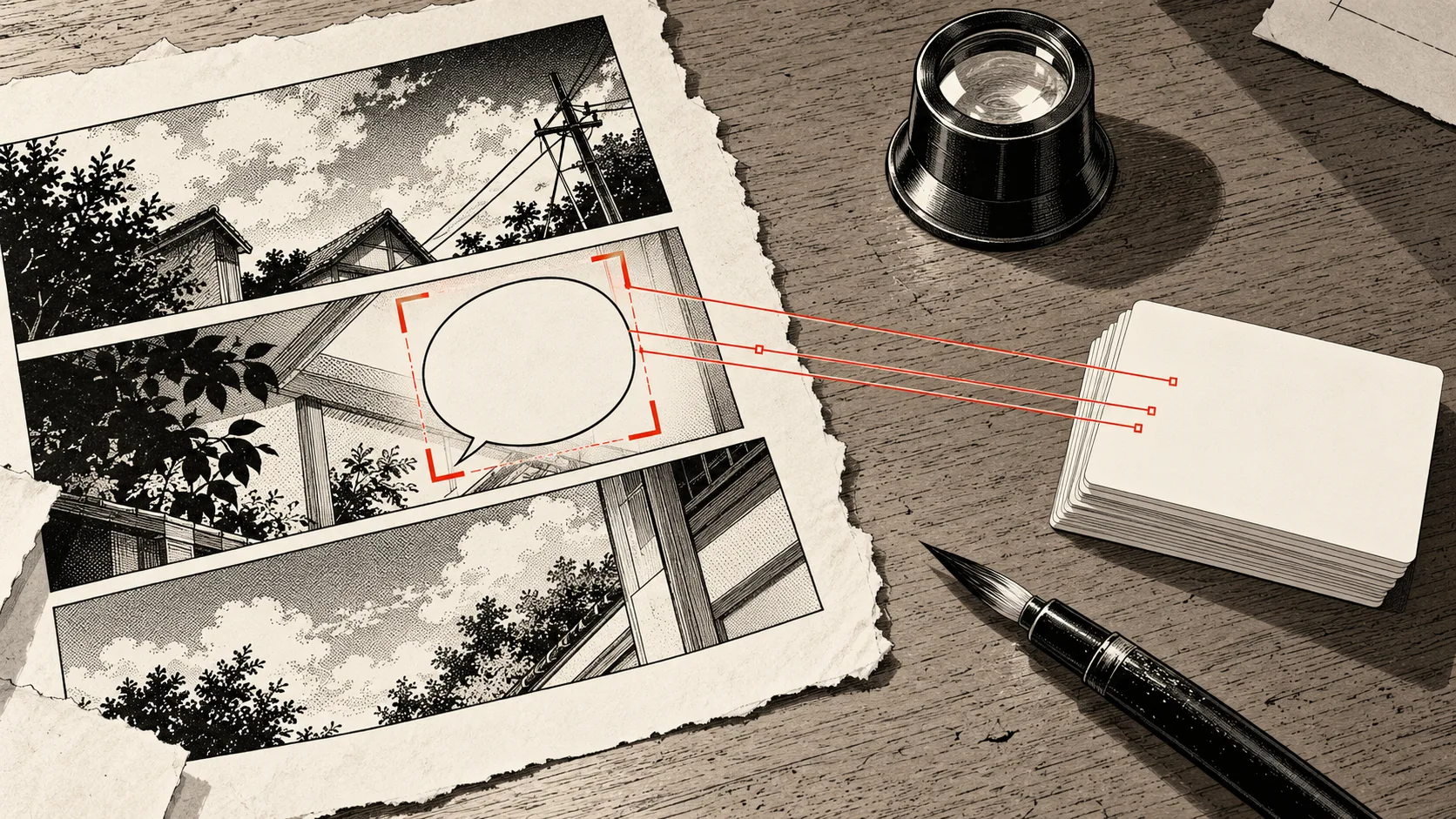
Manga OCR is the job of reading the text inside manga images. Most people searching for it mean one project in particular: manga-ocr, a free Python library by kha-white that reads Japanese from a cropped speech bubble and returns plain text. It does not find bubbles, translate lines, or put text back on the page.
So the right manga OCR setup depends on what you want at the end. For a Japanese sentence to look up, install manga-ocr. For a page you can read in English, you need OCR plus translation and lettering, which is what an OCR manga translator does in one step.
Facts below were checked against the public manga-ocr repository, PyPI listing, and Hugging Face model files on November 1, 2026. We did not run an accuracy benchmark, so this guide quotes no accuracy percentage of its own. The cover is an AI-generated editorial illustration made for this guide.
What is manga OCR?
OCR stands for optical character recognition: turning pixels into text you can copy. Manga OCR applies that to comic pages, where the text sits in bubbles, runs vertically, and overlaps artwork.
The names get confusing because one project appears under several spellings:
- manga-ocr: the GitHub repository and the package you install from PyPI.
- manga_ocr: the command you run in a terminal and the Python module you import. The class is
MangaOcr. - manga-ocr-base: the trained model the library downloads from Hugging Face, published as
kha-white/manga-ocr-base. - mangaocr: the one-word label many apps and searches use for the same engine.
When a tool's settings list "Manga OCR" as an engine, it usually means this model or a converted copy of it. Generic "manga OCR" on a marketing page may mean something else entirely, so check which engine a product actually names.
Why manga needs its own OCR
Document OCR expects tidy horizontal lines on a plain background. Manga rarely offers that. The manga-ocr project was built around five problems that show up on nearly every page:
- Vertical and horizontal text, often on the same page.
- Furigana, the tiny reading aids printed beside kanji.
- Text overlaid on images, not on clean white space.
- A wide variety of fonts and styles, from book type to shouted lettering.
- Low-quality images, such as old scans and compressed screenshots.
It also reads multi-line text in a single pass, so a whole bubble can go in at once without being split into lines. It works as a general printed Japanese OCR too, and the README suggests it should do a decent job on novels and video games. That makes it a useful answer to "image to text Japanese" when the image is a small, tight crop.
How the manga-ocr-base model works
The manga-ocr-base model is an end-to-end vision encoder-decoder. A vision transformer looks at the image, and a BERT-style decoder writes out Japanese text token by token. It was trained on the Manga109-s dataset plus synthetic data.
| Property | Value | Why it matters |
|---|---|---|
| Encoder / decoder | ViT / BERT | Reads the image as a whole instead of splitting lines first. |
| Input size | 224 × 224 pixels | Everything you send is resized to this square. |
| Color | Converted to grayscale | Color pages are read as black and white. |
| Output limit | 300 tokens | Enough for a bubble, not meant for a page of text. |
| Vocabulary | 6,144 tokens | Built for Japanese, not a multi-language model. |
| Model file | 444 MB | Downloaded on first run, then cached. |
| License (library) | Apache-2.0 | Free to use, including in other projects. |
The input size explains the most common manga OCR mistake: passing a full page. Here is the same page resized two ways, using the model's own preprocessing settings.
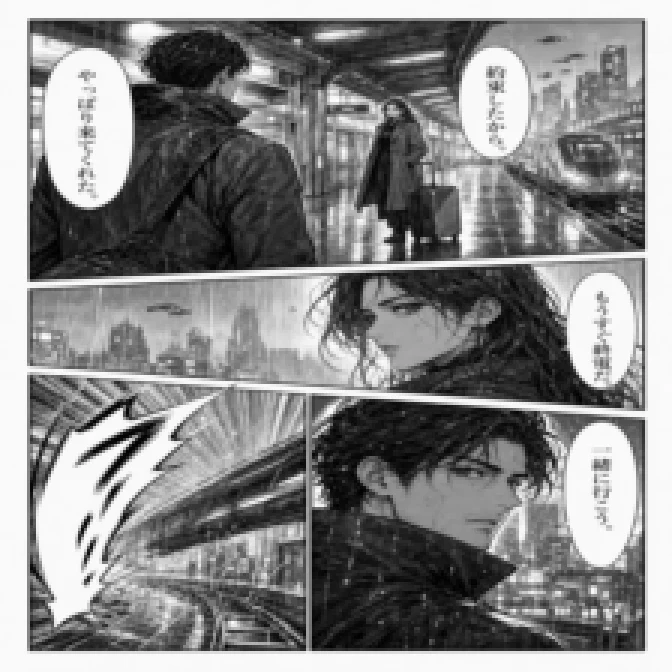
Full page at model input size: dialogue turns to blur
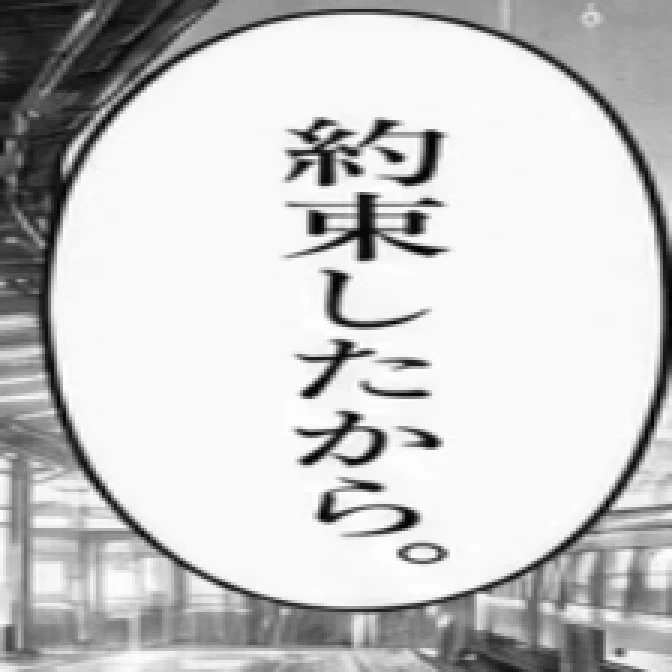
Bubble crop at the same size: every character survives
That is why the library has no "upload a page" mode. Something has to find the text regions first, whether that is your hand with a screenshot tool or a detector such as comic-text-detector.
How to install and run manga-ocr
This manga OCR tutorial follows the official README. You need Python 3.9 or newer. The very newest Python release may not work yet, because PyTorch often takes time to catch up.
1. Install the package
pip install manga-ocr
If you use uv, run uv add manga-ocr, or try it without adding it to a project:
uvx manga_ocr
For manga-ocr GPU use, install PyTorch from its official instructions first. The library picks CUDA or Apple MPS when available and otherwise falls back to the CPU.
2. Read images in Python
from manga_ocr import MangaOcr

mocr = MangaOcr()
text = mocr('/path/to/bubble.png')
print(text)
You can pass a file path or a PIL image. The first run downloads the model, which may take a few minutes. After that, recognition happens on your own machine.
3. Or run it in the background while reading
This is the setup many Japanese learners use. Start the clipboard watcher:
manga_ocr
Capture a region with a tool like ShareX or Flameshot. manga-ocr reads the image from your clipboard and writes the text back, where a dictionary such as Yomitan can pick it up. Wait for the OCR ready message in the log before you start.
To watch a screenshot folder instead:
manga_ocr "/path/to/sharex/screenshot/folder"
Clipboard mode replaces any image you copy with recognized text, so use folder mode if you also need to paste images normally.
Common install problems
DLL load failed while importing fugashi: this might come from the Microsoft Store build of Python. Try installing from python.org.manga_ocrcommand not found: trypython -m manga_ocr.mecab-python3fails on ARM: see the workaround linked in the repository's troubleshooting notes.- Clipboard mode on Linux: install
wl-copyfor Wayland orxclipfor X11.
Which manga OCR tool fits your job?
The right tool depends less on the engine and more on what you do with the output. There is no official hosted manga OCR online service from the project, and Hugging Face listed no inference provider for the model when we checked.
| Your goal | Start with | What you get | Trade-off |
|---|---|---|---|
| Look up one bubble | manga-ocr + screenshot tool + Yomitan | Text on your clipboard | Python setup; you crop by hand |
| Read a whole volume in Japanese | mokuro | Selectable text over each page in a reader | Python setup; volumes are processed before reading |
| Pull text from a page without installing | A browser OCR with page detection, such as a PaddleOCR manga preset | Text to copy or download | Bubble order and names still need checking |
| Build your own pipeline | manga-ocr-base through the Python API or an ONNX export | Raw strings | You add detection, ordering and translation |
| Read the page in another language | AI Manga Translator | A translated page image | Online; sign-in required; no text export |
mokuro is the natural next step for readers. It combines comic-text-detector with manga-ocr, then lets you read in a browser with selectable text. If a forum post recommends an OCR manga reader for study, it is often this.
For manga OCR ONNX builds, community exports exist on Hugging Face for runtimes without PyTorch. Check the model card before you rely on one: some exports build on a retrained manga-ocr-base-2025, whose own card was still an empty template when we looked.
What OCR model does MangaTranslator use?
If you searched for the MangaTranslator OCR model, you probably mean one of several open-source apps. Most of them no longer depend on a single manga OCR engine, as this snapshot from their public READMEs shows.
| Project | OCR models listed | Worth knowing |
|---|---|---|
| MangaTranslator (meangrinch) | Manga OCR, PaddleOCR-VL-1.6 | README describes OCR and translation through a cloud API or local LLM. |
| Koharu | PaddleOCR VL 1.6, Manga OCR, Baberu OCR, Hayai OCR | Detection, OCR and inpainting models are chosen separately. |
| manga-image-translator | 32px, 48px, 48px_ctc, mocr | Recommends 48px for Japanese and Korean; offers Manga OCR box merging. |
The takeaway for choosing a manga OCR model: use manga-ocr for tight Japanese crops, and look at PaddleOCR-VL or a multi-language engine when you need several languages or whole-page reading. These projects change quickly, so confirm against the current README before committing.
From manga OCR to translation
OCR is one stage in manga OCR translation. Getting from a raw page to a readable one involves several jobs, and manga-ocr covers exactly one of them.
| Stage | What happens | Covered by manga-ocr? |
|---|---|---|
| Detect | Find bubbles, captions and text on art | No |
| Recognize | Turn each region into text | Yes, for Japanese |
| Order | Sort regions into reading order, usually right to left | No |
| Translate | Convert text with speaker and panel context | No |
| Clean | Remove the original lettering from the art | No |
| Letter | Fit translated text back into each bubble | No |
You can assemble this yourself: OCR each crop, paste the text into a translator, then erase and re-letter in an image editor. That gives you full control, and it is worthwhile for a release you plan to polish. It is slow if all you want is to read the page.
An OCR manga translator runs those stages for you. Upload a complete page to our single-page manga translator, choose your language, and it detects the text, translates it, cleans the original lettering, and returns the page as an image. It accepts PNG, JPG, JPEG or WebP up to 15 MB, with Japanese, Korean or Chinese source pages.
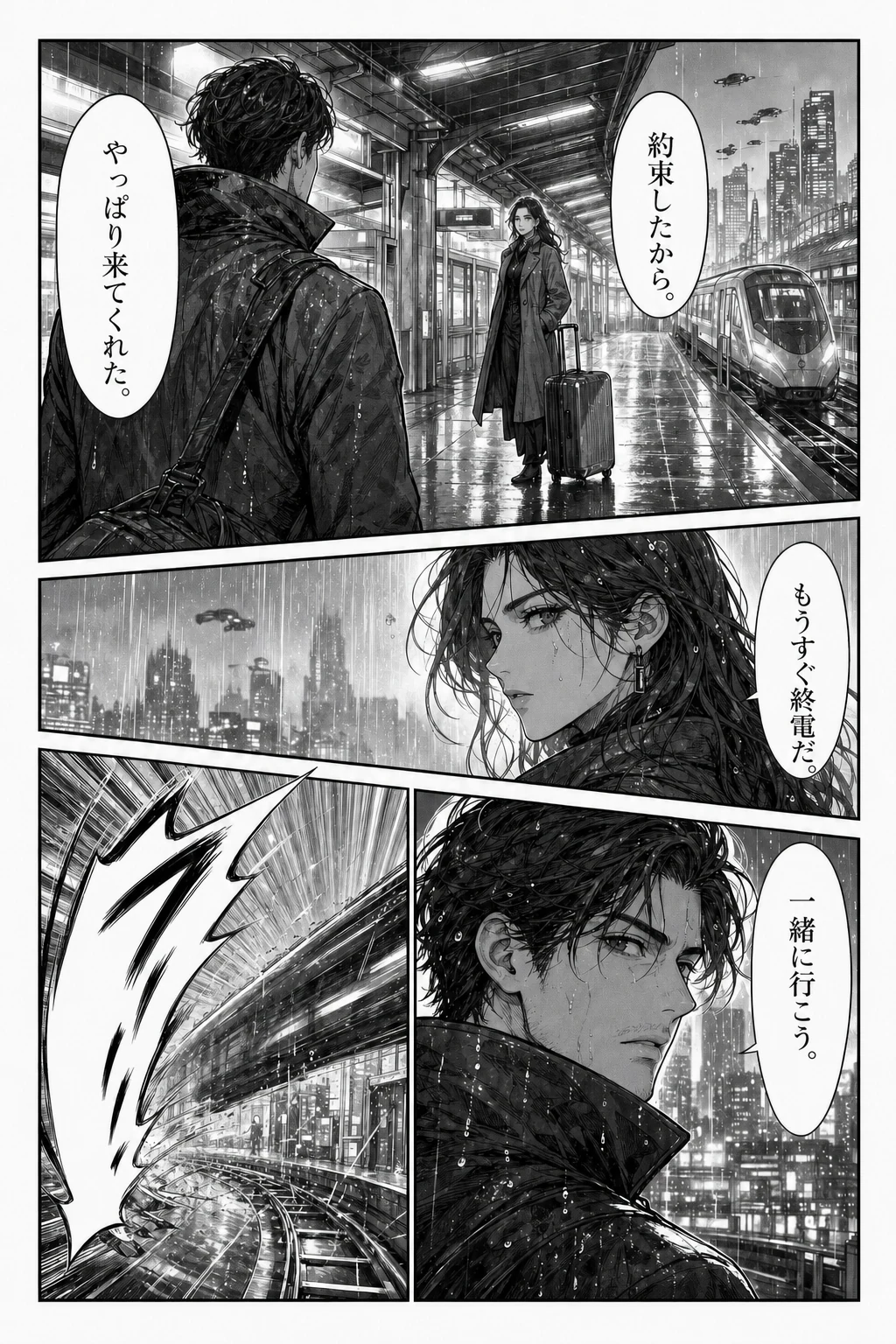
Source page: Japanese dialogue
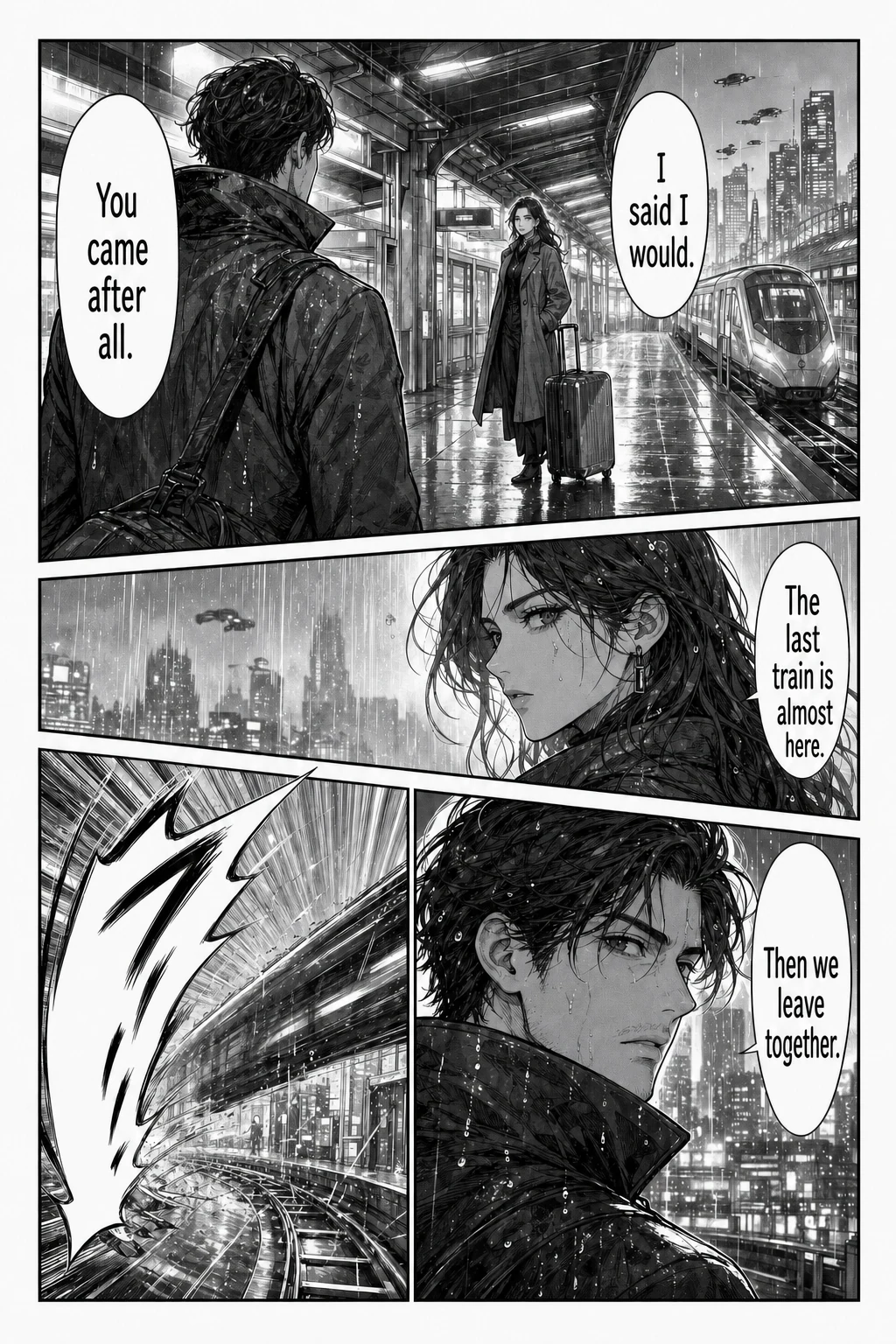
Reading copy: English dialogue
Pick the workflow by source: use batch translation for up to 20 page images, the CBZ translator for a CBZ or ZIP chapter, or the browser extension for images on a page you are reading. For raw Japanese specifically, the Japanese manga translator guide covers furigana, honorifics and dropped subjects.
Manga OCR limits and how to check results
The most important manga OCR limit is easy to miss. The README warns that the model always tries to recognize something, even on an image with no text, and may "dream up" realistic sentences. Plausible Japanese is not proof of a correct read.
One independent test shows where it breaks. A Rust port of manga-ocr published its results on a real page: 4 of 9 bubbles passed. The failures were a tiny caption, slanted action text, shouted lettering, a neighboring line leaking in, and one wrong character. That is a single page on a port, not a benchmark, and the longest bubble on that page passed, so length alone does not predict failure. The README adds its own cautions: longer text raises the chance of errors, and handwriting probably won't work.
Be careful with published accuracy tables as well. Some manga OCR articles quote figures above 99%, usually with no sample or method. Scores depend on which pages you test, so try your own pages instead.
When you check manga OCR output, look at:
- Crop edges: tighten the crop if text from a neighboring bubble appears.
- Long bubbles: split them and run each part again.
- Similar characters: compare katakana such as ン and ア, or シ and ツ, against the image.
- Names: check readings in context, since the model sees no surrounding pages.
- Empty regions: treat any output from a blank or artwork-only crop as invented.
- Sound effects: read them yourself, as they are often drawn as art rather than lettered.
Translated pages need the same care. A smooth sentence can still come from a misread character. Our guide to translating Japanese manga images lists what to compare before downloading.
Is manga OCR free?
Yes, for the open-source route. manga-ocr is free under Apache-2.0, and once the model is downloaded, recognition runs on your computer, so your pages stay local. What you pay is setup time, disk space and patience on slower hardware.
A free OCR manga translator is a different matter, because translation and image cleanup cost money to run. On AI Manga Translator, starting a translation requires sign-in and uses one credit per page, and failed tasks return their credit. Any trial credits on your account let you test a page; downloading results requires a purchased credit pack. See Pricing for current packs.
Uploading a page to any online service sends it to that service, so read the privacy policy first, and only process pages you own or have permission to translate.
Frequently asked questions
What is manga OCR?
Manga OCR means recognizing the text inside manga images. The name also refers to manga-ocr, an open-source Python library by kha-white, and its manga-ocr-base model. It reads Japanese from a cropped text region and returns plain text.
Can manga-ocr read a whole manga page?
Not reliably. The library has no page or bubble detector, and the model resizes every input to 224 × 224 pixels, so a full page leaves very little detail for each character. Crop one bubble or text block, or use a tool such as mokuro that detects text regions first.
Is manga-ocr free?
Yes. manga-ocr is released under the Apache-2.0 license and runs on your own computer. Your costs are setup time, about 444 MB for the model, and your hardware. Hosted translators are separate services with their own limits.
Does manga-ocr work for Korean manhwa or Chinese manhua?
No. manga-ocr is built for Japanese text. For Korean or Chinese comics, choose an OCR engine with that language, or a translator that accepts those source languages. AI Manga Translator accepts Japanese, Korean and Chinese pages.
Can manga OCR read handwritten text and sound effects?
Treat both as hard cases. The manga-ocr README says it probably cannot handle handwritten text. Stylized sound effects, slanted action lines and tiny captions are also the places where manga OCR output is most likely to be wrong.
Is there a manga OCR app for Android, iPhone or Chrome?
The kha-white library is a desktop Python package, not a phone app or a browser extension. Community apps offer on-device OCR on Android, and our Chromium extension translates manga images in place, but it does not export OCR text.
Is manga-ocr better than Tesseract or Google Translate for manga?
It is designed for a different input. manga-ocr was trained for manga lettering, including vertical text and furigana. Check any accuracy percentage you see online for a stated method and sample, because results depend heavily on the pages used.
Does AI Manga Translator use manga-ocr or export OCR text?
We do not claim a specific OCR model, you cannot select one, and there is no text export. The tool returns a translated page image. If you need the Japanese text itself for study or your own pipeline, use manga-ocr or mokuro.
Choose your next step
If you want the Japanese text, install manga-ocr and crop tightly. If you want to read the page, skip the setup: start with one dialogue-heavy page and compare the result with the original.
Sources: manga-ocr on GitHub, PyPI, Hugging Face model, mokuro, manga-ocr-rs test results. Open-source details change between releases.