
Manga Translator Online mit Link
Translate manga through a link using a browser extension, or upload images. Learn the steps, supported formats, and free translation limits.
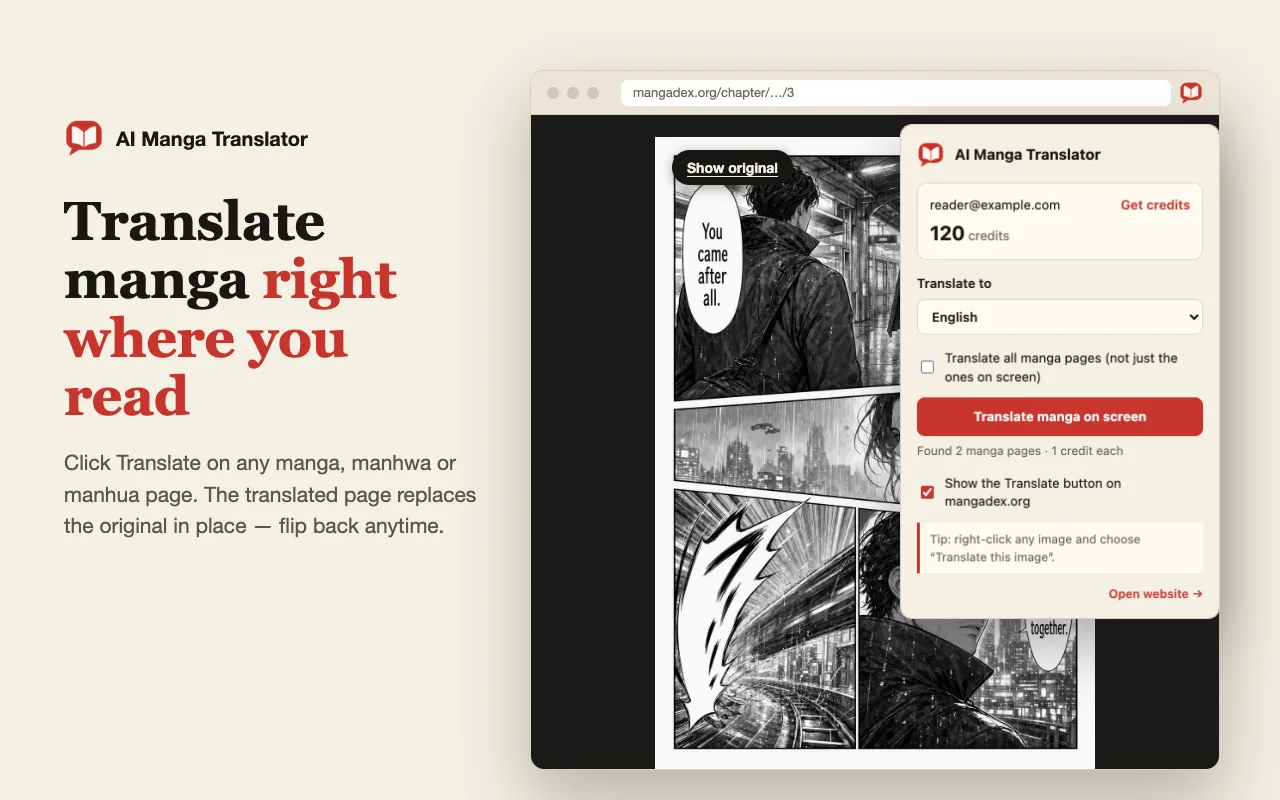
If you searched for manga translator online mit link, you are looking for a way to translate manga through a link. The German words mit Link mean “with a link.” The practical question is whether that link points to a manga webpage, an individual image, or a page you can read using a browser extension.
Here is the direct answer for this site: open the manga webpage and use the browser extension, or upload a saved manga image. The web uploader does not currently import chapters from pasted URLs. Both supported routes use your signed-in account and its translation credits.
Get the manga translator extension → · Upload a manga image →
What does “manga translator online mit link” actually mean?
A manga webpage usually contains several things: navigation, ads, a chapter title and the images that hold the dialogue. Translating the page’s ordinary text does not necessarily translate the lettering inside those images. Manga translation needs image text recognition, translation and placement of the translated text back into the artwork.
Before choosing an online manga translator, identify what you have:
- A manga webpage link: open it in your browser, let the images load and use an extension that can work with those images.
- A direct image link: it identifies one image, rather than a complete chapter. This site’s uploader still expects a file, so save the permitted image and upload it.
- Local manga pages: upload one image, use the batch tool for multiple pages, or use the dedicated CBZ tool for a supported archive.
This distinction matters when you want to translate manga through a link. A link to a chapter does not tell a translation service how to find every page, handle lazy loading or access images that require a browser session. Start with one visible page before planning a whole chapter.
Use the manga translator extension on a webpage
The extension is the most direct route when you are already reading manga in a supported desktop browser. You keep the source page open and translate its images there. There is no separate translation account to create for the extension.
1. Install the extension and sign in
Open the extension installation guide and follow its Chrome Web Store link. The extension supports Chrome and other compatible Chromium desktop browsers. Sign in to this website in the same browser so the extension can use your account and credits.
2. Open your manga link and load the page
Navigate to the manga webpage you want to read. Scroll to the image you need and wait until the dialogue is visible at a readable size. If the site loads images as you scroll, unloaded pages are not ready for translation just because the chapter URL is open.
For a site where the hover control is not enabled, use the extension popup to enable it. Work with pages you own or have permission to process.
3. Choose a language and translate one image
Select your target language in the extension. To translate Japanese manga to English, choose English; other available target languages include German and Chinese. Move over a manga image and use the Translate control, or use the extension’s image context-menu action.
Start with a dialogue-heavy page. It gives you a better quality check than a cover containing only a title. Wait for the result before triggering the same image again.
4. Compare the translated page with the original
Read the bubbles in panel order. Check whether a name changed between lines, a small caption disappeared or a long sentence became difficult to read. Use the result as a reading copy that still needs review, especially when the original contains stylized lettering or text over detailed art.
Upload manga images when the link workflow does not work
An extension may not be able to access every image. A page can display correctly while image downloads are restricted, and some readers use unusual layouts. If the image does not load or the translation control cannot identify it, switch to an image you are allowed to save instead of repeatedly submitting the same request.
Use the manga image translator for the fallback workflow:
- Save the clearest available page, or take a screenshot with all dialogue visible.
- Use PNG, JPG, JPEG or WebP, keeping each image within 15 MB.
- Upload the image, choose the target language and inspect the source preview.
- Sign in and start the translation with sufficient credits in your account.
- Compare the result with the source before downloading it.
Keep a complete panel or page where possible. Cutting every bubble into a separate file makes it harder to follow speakers and reading order. If a very tall screenshot makes the smallest text unreadable, split it at sensible panel boundaries and preserve the sequence.
For manga translator online mit link searches, this upload fallback is worth knowing before you spend time trying different URLs. It gives the translator the actual image instead of relying on a website’s reader structure.
Can a free manga translator handle a whole chapter?
“Free” can describe installation, a trial, available credits or a limited service. Those are different offers. Here, the browser extension is free to install, but a translation needs a signed-in account and sufficient credits. Each translated page uses 1 credit, and unpaid accounts also have a configurable daily usage cap. A daily cap is not a promise of new credits every day.
Check your account balance and the current credit packs before starting a chapter. Do not assume that an AI manga translator is free and unlimited simply because it opens in a browser.
For multiple local images, use the batch manga translator. For a supported archive, use the CBZ translator. These workflows start with files you already have; they do not turn a manga webpage link into an automatic chapter download.
Number the pages before uploading and inspect the first translated page before continuing. Check the final file count and reading order so an omitted or failed page does not leave a gap. The whole-chapter translation guide explains the image-based workflow in more detail.
How to get a more readable manga translation
A useful online manga translation preserves enough visual context for you to follow the story. Accuracy depends on more than whether the English sentence sounds fluent. Blurry scans, small handwriting, vertical text and elaborate sound effects all deserve extra attention.
Review four things before keeping a result:
- Text recognition: compare small notes and unfamiliar names with the source.
- Meaning: check who is speaking and whether a sentence fits the surrounding panels.
- Layout: look for text that is too small, crowded or placed in the wrong bubble.
- Consistency: compare recurring names and terms across pages rather than judging each page in isolation.
A larger screenshot cannot restore details missing from the original. If the source is unreadable, obtain a clearer permitted image first. For a closer look at Japanese dialogue and image preparation, read the Japanese manga image translation guide.
Frequently asked questions
Can I paste a manga link directly into this website?
The current web uploader accepts image files, not manga webpage URLs. Open the manga link in a supported desktop browser and use the extension, or save an image you are allowed to process and upload it.
Is the online manga translator free?
The browser extension is free to install. Running a translation requires a signed-in account and sufficient credits; each page uses 1 credit. Unpaid accounts also have a configurable daily limit. Check your account balance and the pricing page for current availability.
Can I translate Japanese manga to English?
Yes. Select English as the target language and translate a supported manga image. Check names, vertical dialogue, small notes and sound effects against the original; readable English does not guarantee every source character was recognized correctly.
Does it work with every manga website?
Compatibility varies. Images that have not loaded, restricted image requests and unusual page layouts can prevent the extension from reading a page. If an image cannot be accessed, use a supported local image instead. A webpage link is not a guarantee that every chapter image can be imported.
Which file formats can I upload?
The single-page uploader accepts PNG, JPG, JPEG and WebP images up to 15 MB per page. A webpage address is not an image upload. Use the separate CBZ translator for supported CBZ archives, or the batch translator for multiple image files.
Can I translate manga on my phone?
You can use the image upload workflow in a mobile browser. Save a clear image or screenshot, upload it and select the target language. The desktop browser extension instructions do not imply that it runs in Chrome on Android or iOS.
Can I translate a whole chapter from one link?
This website does not currently import an entire chapter from a pasted link. Prepare the page images and use the batch translator, or open a supported CBZ archive in the CBZ tool. Review page order and results before keeping the translated chapter.
Choose your next step
For manga translator online mit link, choose the route that matches your source: open the webpage and use the extension, or upload a supported image. Test one page, review the text and layout, then continue with the rest of the chapter.
Translate manga on a webpage → · Translate a saved manga image →